The RaceGorilla competition app (formerly known as CloudTimer) is very easy to use, as you can manually time the participants. The only thing you need, is a couple of up-to-date smartphones with the RaceGorilla Competition app installed.
But what to do if you’ve got a real championship coming up? You’d still want the ease of use of RaceGorilla, but with increased accuracy and reliability. You want to use your photocells and a professional timing clock. That’s why we made the RaceGorilla BlueBox.
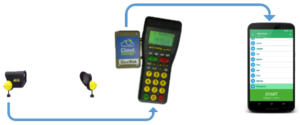
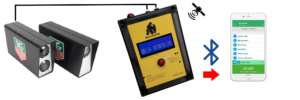
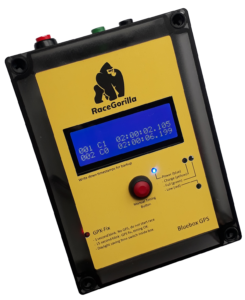
Showing 100% accurate running times and on-line results is now easier than ever before. If you have a timing device from Alge or Tag Heuer, just connect it to the BlueBox. The timing devices will forward the timestamps to the RaceGorilla competition app using bluetooth. The latest innovation is the BlueBox-GPS. A stand-alone, Arduino based timing clock. Any kind of Photocell can be attached to the BlueBox-GPS.
The start and finish operators receive the timestamps on their phone, directly generating the results as they confirm the times.
RaceGorilla BlueBox
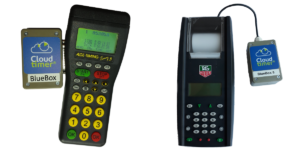
The RaceGorilla BlueBox contains a programmable Arduino board (Bluno Nano). It receives data over the serial port from the Alge (Timy or Timy 3) or from Tag Heuer (CP520 or CP545) time clock. The Arduino inside the BlueBox processes the timestamp to to universal format and sends it over Bluetooth to the RaceGorilla app. Well, that was maybe jiberish for most of you, but it’s the simplest we could make it. Therefore the BlueBox is less expensive and easy to maintain and update.
To show how the Bluebox is used, we’ve made a video during a canoe slalom race: BlueBox Race Blog
When you add a time clock and connect it to RaceGorilla Competition app using the BlueBox, you will have 100% accurate times and a full backup system. Above all, timing is easier again, as the timing operator does not record the times manually anymore.
Availability
The Alge Timing integration is ready and available in RaceGorilla for Android. The Tag Heuer integration is ready for the CP520, CP540 and CP545 as well.
Photocells
RaceGorilla offers a cooperation with FDS timing Solutions. A Swiss based manufacturer of photocells and accessories. The photocells are user friendly, high quality yet competitively priced.
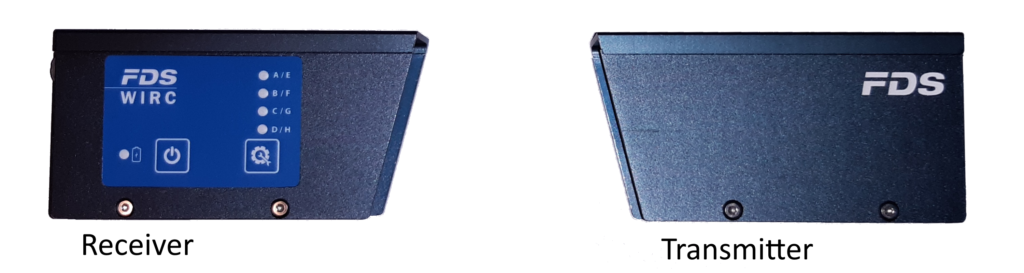
FDS and RaceGorilla Accessories
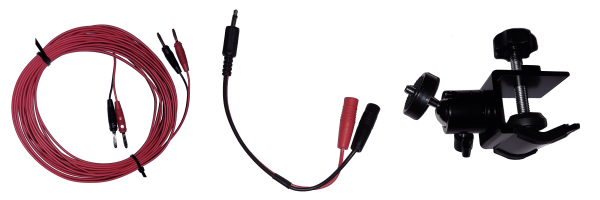
When using photocells and the Blueboxes are used, some extra gear is needed. Often this gear can be bought locally. Sometimes a sport specific solution is needed.
RaceGorilla offers some wires and a clamping system. Ask for an offer that is tailored to your local situation.
Pricing
The BlueBox integration is offered as a premium module in the RaceGorilla Competition app. It is available to users with a paid RaceGorilla plan.
Don’t hesitate to contact us if you have questions on these integrations.